
A Wax family tool

From a written idea to a finished film.
GenWax turns a script, a beat sheet or a shot list into a complete short: consistent characters shot from every angle, scenes, a storyboard timeline, and video clips, stitched into one cut. You write the idea; it runs the pipeline.
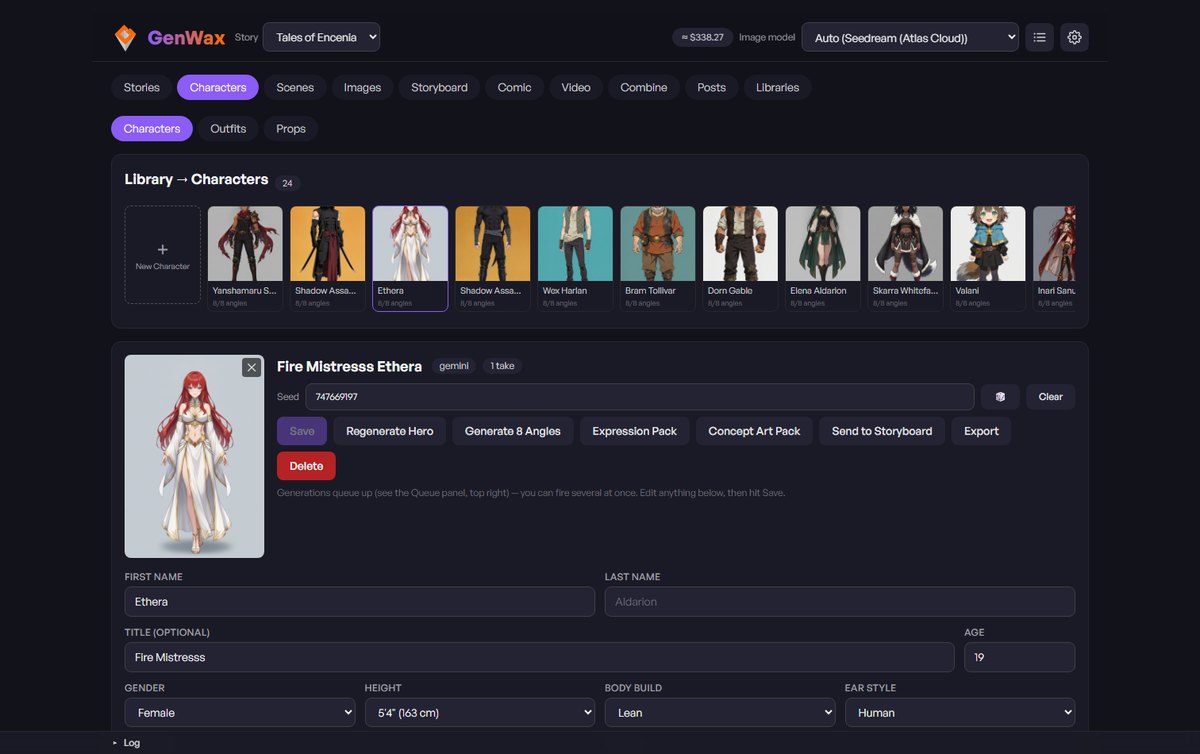
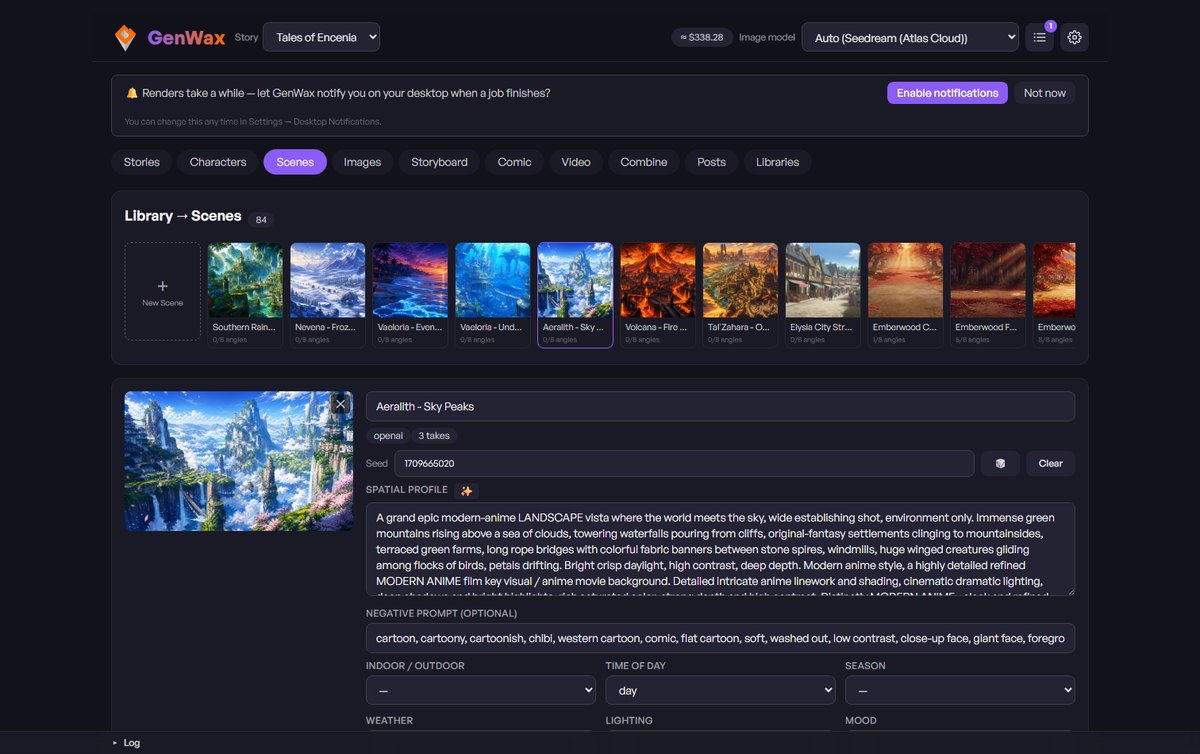
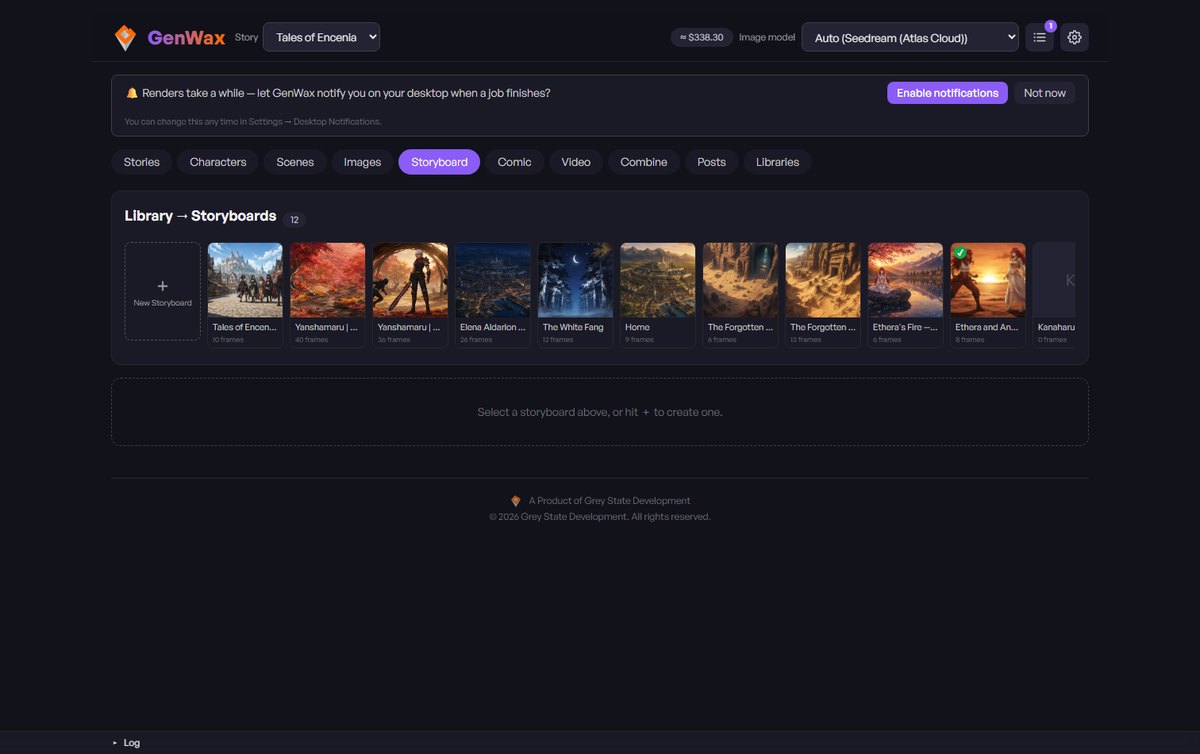
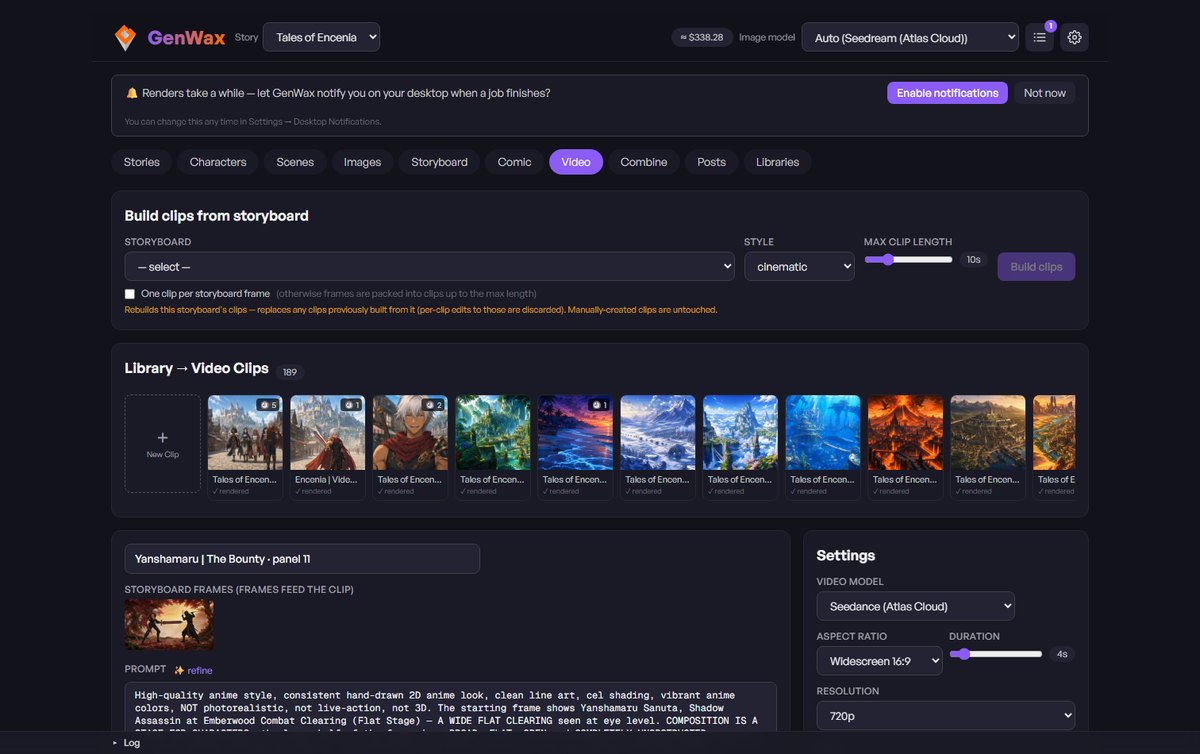
One pipeline, concept to cut
Every stage feeds the next. Start with a cast, end with a rendered MP4: the same flow whether it's a 15-second reel or a full scene.
Characters
Build a cast once. Eight-angle consistency and a locked seed keep every face on-model across the whole film.
Scenes
Establishing vistas and locations, rendered from a compass of angles: no people, pure environment.
Images
Compose shots by shot-size × angle. GenWax writes the camera language and pulls each character's matching angle as reference.
Storyboard
A timeline of frames, with motion, dialogue, SFX and duration on each, authored for you and editable by hand.
Video
Each frame becomes a timed clip with three-part cinematic prompts, first/last frame, and per-shot audio.
Combine
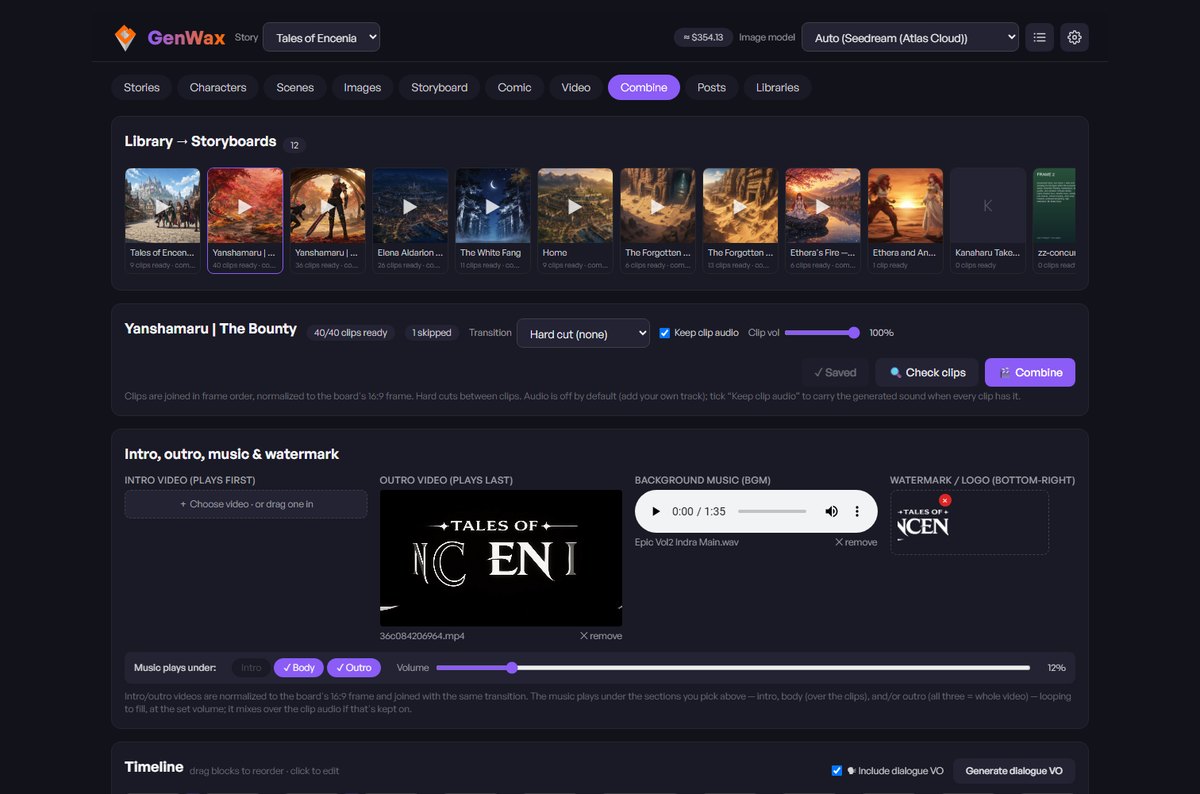
Stitch the clips into one MP4: transitions, intro/outro, music, watermark, one-click reframe to portrait or landscape.
The real workspace, not a mockup
One story holds the whole production: cast, worlds, boards and clips, side by side.
Scenes
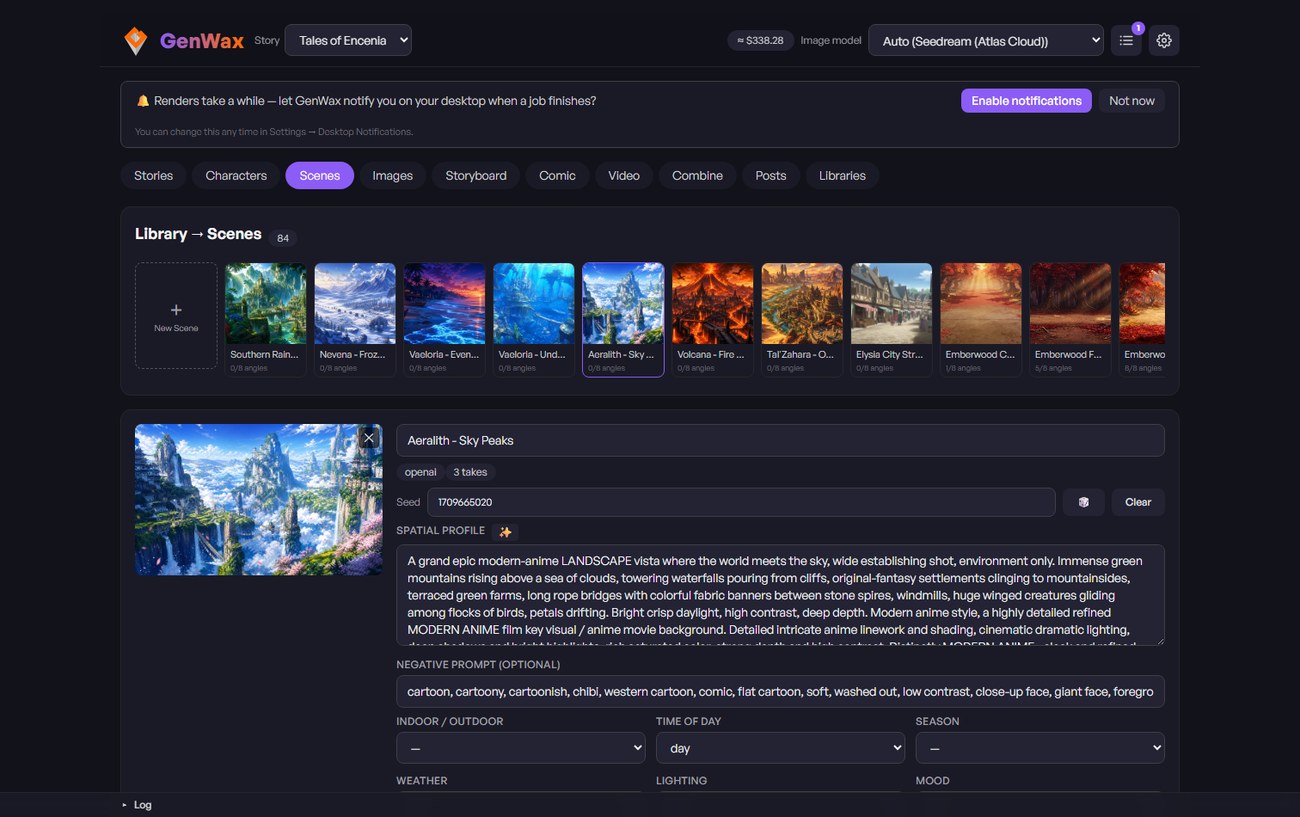
A whole world, ready to shoot
Establishing vistas for every corner of the story, each rendered people-free from a compass of angles, so any shot has a place to happen.
Video
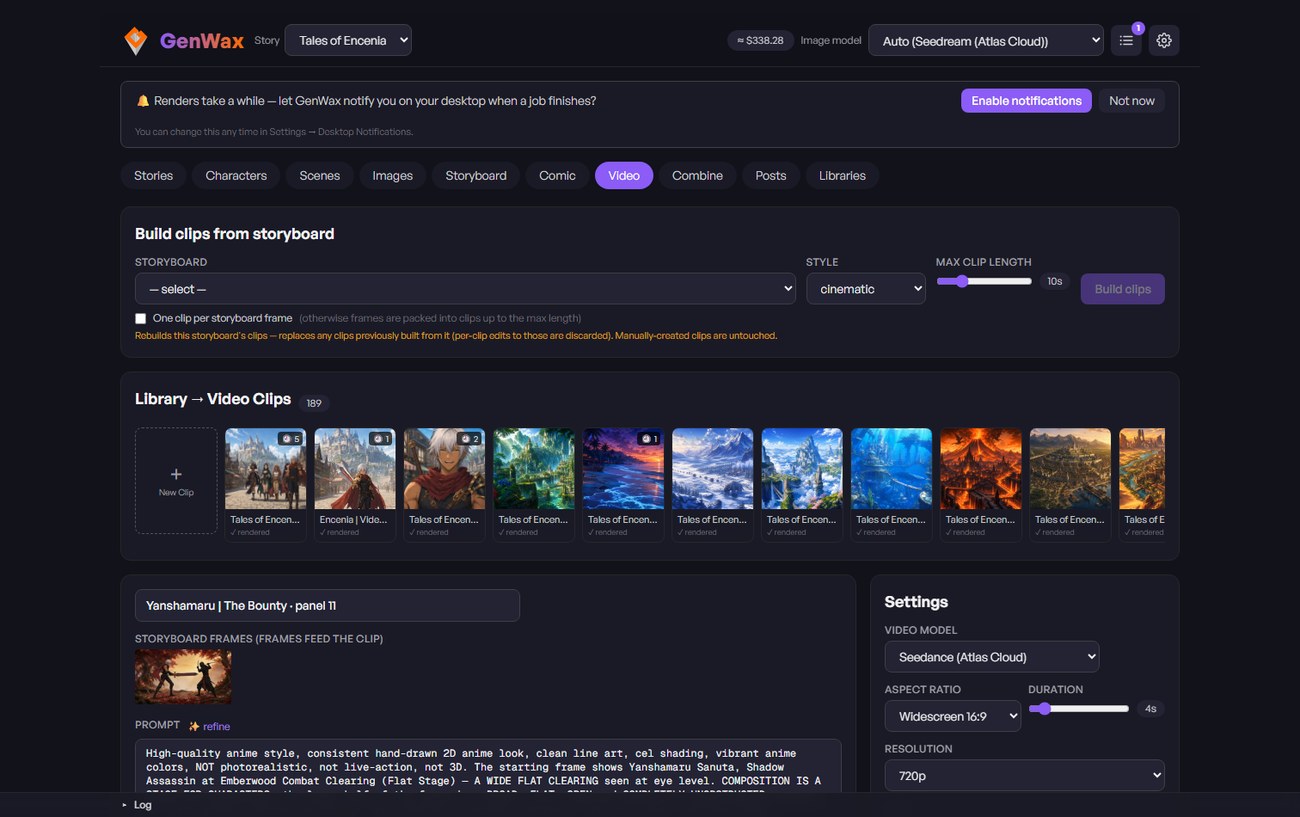
Every frame becomes a shot
Turn storyboard frames into timed clips. Choose the model, aspect and length per shot, with the cinematic prompt written for you. Render, review, refine.
Combine
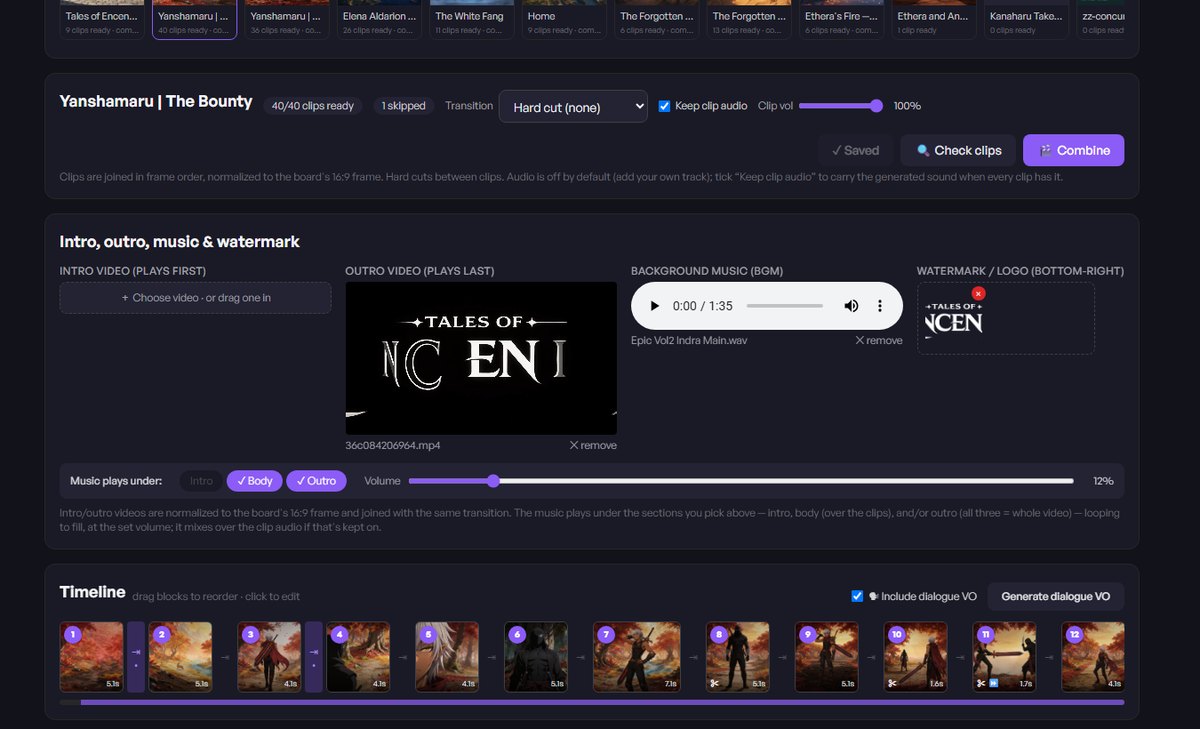
Your whole film on one timeline
Every finished clip stitched into one MP4 in frame order: hard cuts or crossfades, an intro and outro, music, a watermark, and one-click reframe to portrait or landscape.
Built for consistency
The hard part of AI video is keeping it coherent. GenWax is designed around it.
One cast, every angle
Characters that hold
Eight-camera reference sheets and a locked seed mean a character keeps the same face, wardrobe and eyes from the first shot to the last.
Bring any model
Swap providers per shot
OpenAI, Gemini, Grok, Seedance, Veo, Sora, Runway or local Stable Diffusion: pick the right model for each shot, using the keys you've added to BizWax.
Prompts, written for you
Cinematic by default
Timecoded cut lines, inline dialogue and SFX, camera moves and lighting. The three-part shot prompt is authored automatically, model-agnostic.
Zero-key start
Learn the flow first
A built-in mock generator runs the entire pipeline without calling a provider, so you can learn concept-to-cut before spending anything.
Your models, your call
GenWax calls whichever provider you point it at, per shot. Add the keys once in BizWax and every Wax tool can use them.
Bring your own provider key and the provider bills you directly. Without one, GenWax's mock generator still runs the whole pipeline so you can learn it before spending anything.
Part of the Wax family
GenWax plugs into BizWax.Ai alongside your other tools: one sign-in, shared credits, and a single Library for everything you make.
The platform
BizWax.Ai
One account, the credit wallet, and the shared Library every Wax tool writes into.
Film + video
GenWax
Script-to-screen video production. The tool you're looking at.
Also on the platform
3 more
MOAT Evaluator, QR Reactor, BizChat: one house, one login, one bill.
Metered in BizWax credits
Write the idea. Get the film.
GenWax is still in development. Create your account now and it appears in your catalog the day it ships.
Common questions
- Does GenWax generate the video itself?
- Yes — it runs the whole pipeline through to a rendered MP4. Earlier versions stopped at direction and prompts; GenWax now generates the images, the clips and the final cut.
- How does it keep a character looking the same across shots?
- Each character is built once as an eight-angle reference sheet with a locked seed. When a shot calls for that character at a given angle, the matching reference is passed to the model rather than re-describing them in words.
- Can I try it without paying a provider?
- Yes. A built-in mock generator runs every stage without calling a real model, so you can learn the flow end to end before spending anything.
- What does it cost to run?
- On a paid plan, if you add your own provider API key the provider bills you directly and BizWax charges no credits. Without a key, runs spend from the credits included with your plan — and the tool tells you when that happens. Organizations can supply one shared key for the whole team.
- Where does my work go?
- Everything you make is saved to your Library automatically, so it survives closing the tab. You choose what, if anything, to share to Creations. On the free plan your newest 25 items stay open; older ones are kept, never deleted, and open again when you subscribe.