
SoulprintAIカスタム指示作成
ベータ版生産性
AIに毎回自己紹介するのは、もうやめましょう。
AIとの新しいチャットは、毎回、自分が何者で、何を売っていて、どんな文章が好みかという同じ説明から始まり、それでも口調は外れます。Soulprintはそれを、あなたの回答、メモ、ご自身のウェブサイトをもとにしたひとつのMarkdownファイルにまとめます。どのAIのカスタム指示にも、一度貼り付けるだけです。
できること
個人用とビジネス用
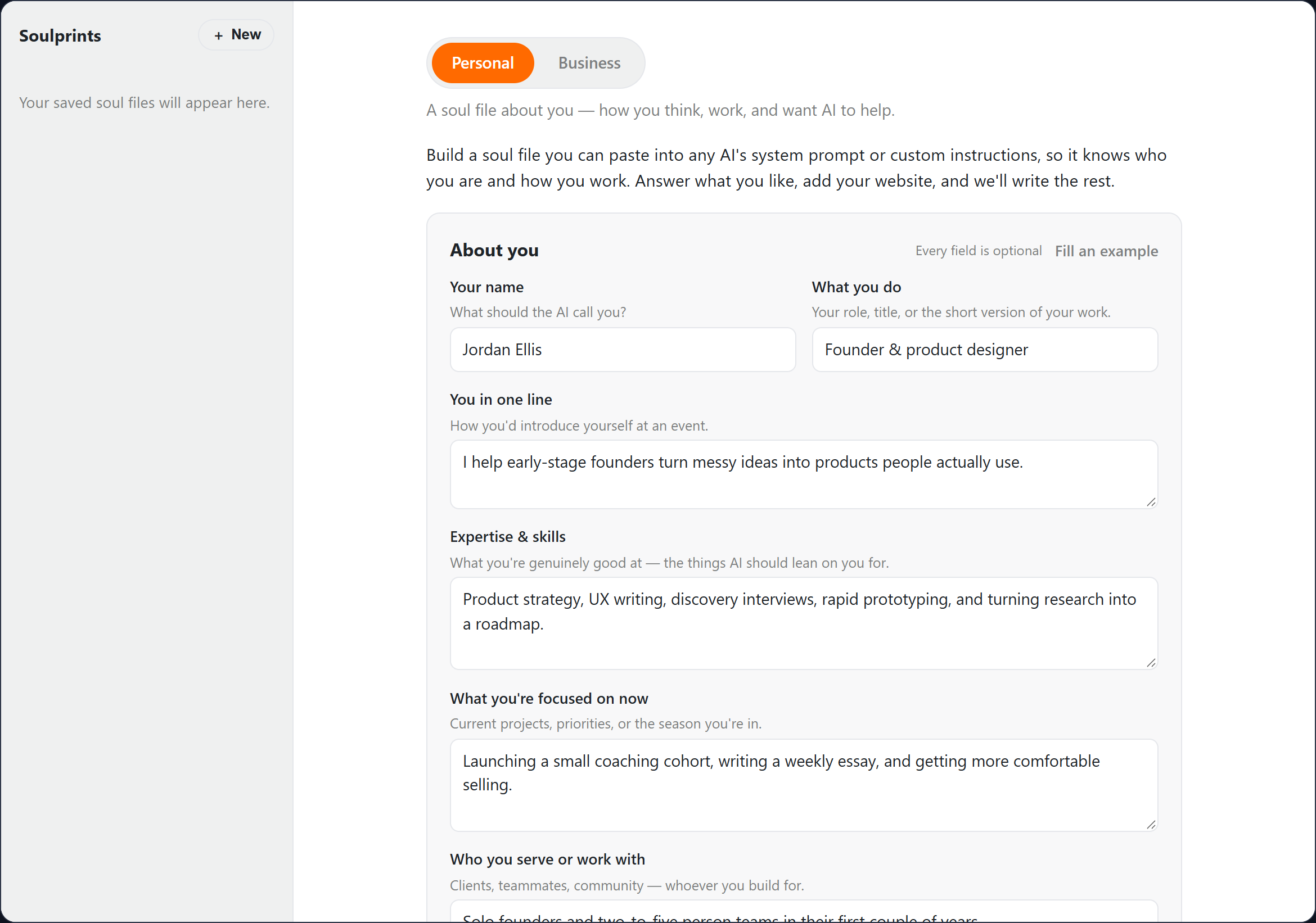
あなた自身についてのファイルと、会社についてのファイル。それぞれに短い質問票と保存された回答があるので、コンサルタントは両方を混同せずに持てます。
ウェブサイトを代わりに読む
サイトのアドレスを5つまで追加すると、BizWaxがトップページと、About、Services、Pricingなど自己紹介にあたるページを読みます。見つかった事実を確認し、ファイルが書かれる前に削れます。
手持ちの資料を活用
自由形式のメモと、プロフィール、ブランドガイド、職務経歴書などのファイル(テキスト、Word、PowerPoint)を5つまで追加できるので、すでに書いた資料がファイルに反映されます。
AIが読むために書かれる
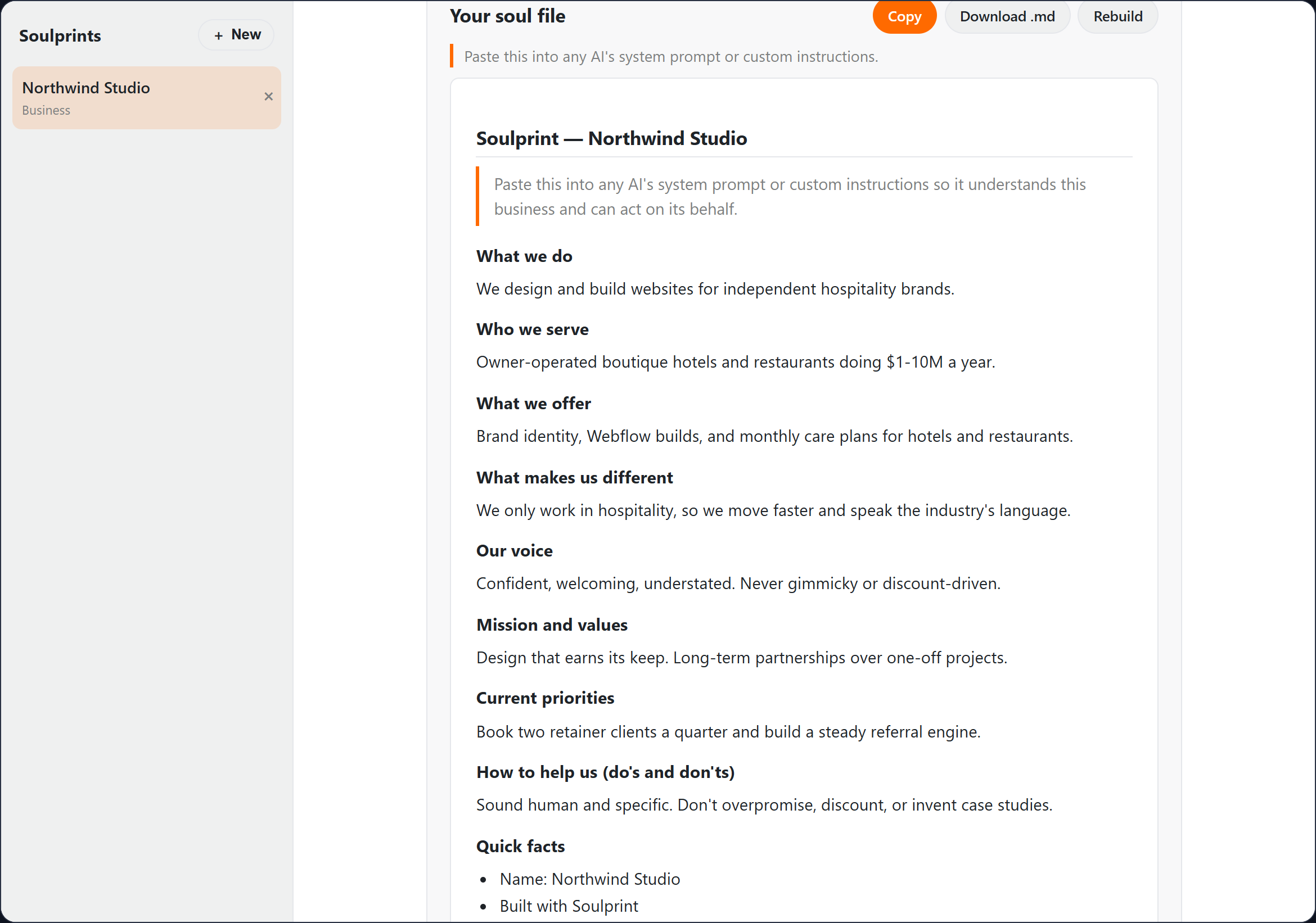
Claudeが決まったセクション(何をしているか、誰に向けてか、口調、やるべきこととやってはいけないこと)で書き、あなたの回答とページが裏づける内容だけを記載します。貼り付けた先のAIが、作り話をもとに動くことはありません。
コピー、ダウンロード、保存
ワンクリックでコピーするか、.mdをダウンロードできます。すべてのバージョンがライブラリに保存されるので、今四半期のファイルと前四半期のものを比べられます。
使い方の流れ
- 1
個人用かビジネス用かを選びます。
- 2
答えたい項目に回答します。すべて任意です。
- 3
メモ、いくつかのファイル、ウェブサイトのアドレスを追加します。
- 4
サイトを読み込ませ、誤っている内容を削除します。
- 5
ファイルを作成し、AIのカスタム指示やシステムプロンプトに貼り付けます。
主な使い道
- プロジェクトのたびに、同じ3段落の背景説明をChatGPTに貼り付けているコンサルタント
- AIが書く投稿を、テンプレートではなく自分の会社らしい言葉にしたい中小企業のオーナー
- 会社の話し方をAIツールに伝えるファイルを、新しいスタッフに渡したいチームリーダー
- ChatGPT、Claude、Geminiを行き来していて、3つとも同じ説明から始めてほしい創業者
使用するキー
SoulprintはGoogle Gemini または Anthropicを呼び出します。有料プランでは、「アカウント」の「APIキー」でいずれかのキーを追加すると、そのプロバイダーから直接請求され、クレジットは消費されません。キーがない場合は、プランに含まれるクレジットから差し引かれ、そのときはお知らせします。
よくある質問
- ファイルはどこに置けばいいですか?
- AIで常設の指示を設定できる場所ならどこでもかまいません。ChatGPTのカスタム指示やプロジェクト、Claudeのプロジェクトやスタイル、GeminiのGem、またはシステムプロンプトを設定できるツールです。
- ファイルやウェブサイトのテキストはどうなりますか?
- ファイルはブラウザ上で読み込まれ、その1回の作成とともに送られます。ウェブサイトのページは、その1回の読み込みのためにBizWaxが取得します。どちらも保存されません。質問票の回答は、あとで調整できるようBizWaxアカウントに保存され、完成したファイルはライブラリに保存されます。
- PDFは読めますか?
- まだ読めません。テキスト、Markdown、CSV、JSON、HTML、Word、PowerPointのファイルに対応しています。PDFの場合は、テキストをコピーしてメモ欄に貼り付けてください。
- どのウェブサイトを読めますか?
- 公開されているサイトを一度に5つまで、それぞれ6ページほど読みます。ログインが必要なページや、自動読み取りをブロックしているサイトは空の結果になるので、作成前に見つかった事実を確認してください。
- APIキーやクレジットを使いますか?
- ウェブサイトの読み込みはGoogle Geminiで1回、ファイルの作成はAnthropicのClaudeで1回の実行で、ご自身のキーまたはプランのクレジットを使います。サイトを読み込まずに作成する場合は1回の実行です。
- 作ったものはどこに保存されますか?
- 作ったものはすべて自動でライブラリに保存されるので、タブを閉じても残ります。制作物に共有するかどうか、何を共有するかはご自身で選べます。無料プランでは最新の25件を開けます。それより古いものも削除されずに保管され、サブスクリプションを開始すると再び開けるようになります。