
SkillScribe
In betaProductivity
Teach an AI your process once.
Every time you hand an AI the weekly report, the client onboarding or the invoice follow-up, you explain the job again, and it still does it a little differently each time. SkillScribe turns the way you do that job into a skill file: the steps, the rules and an example, written so an assistant does it your way every time.
What it does
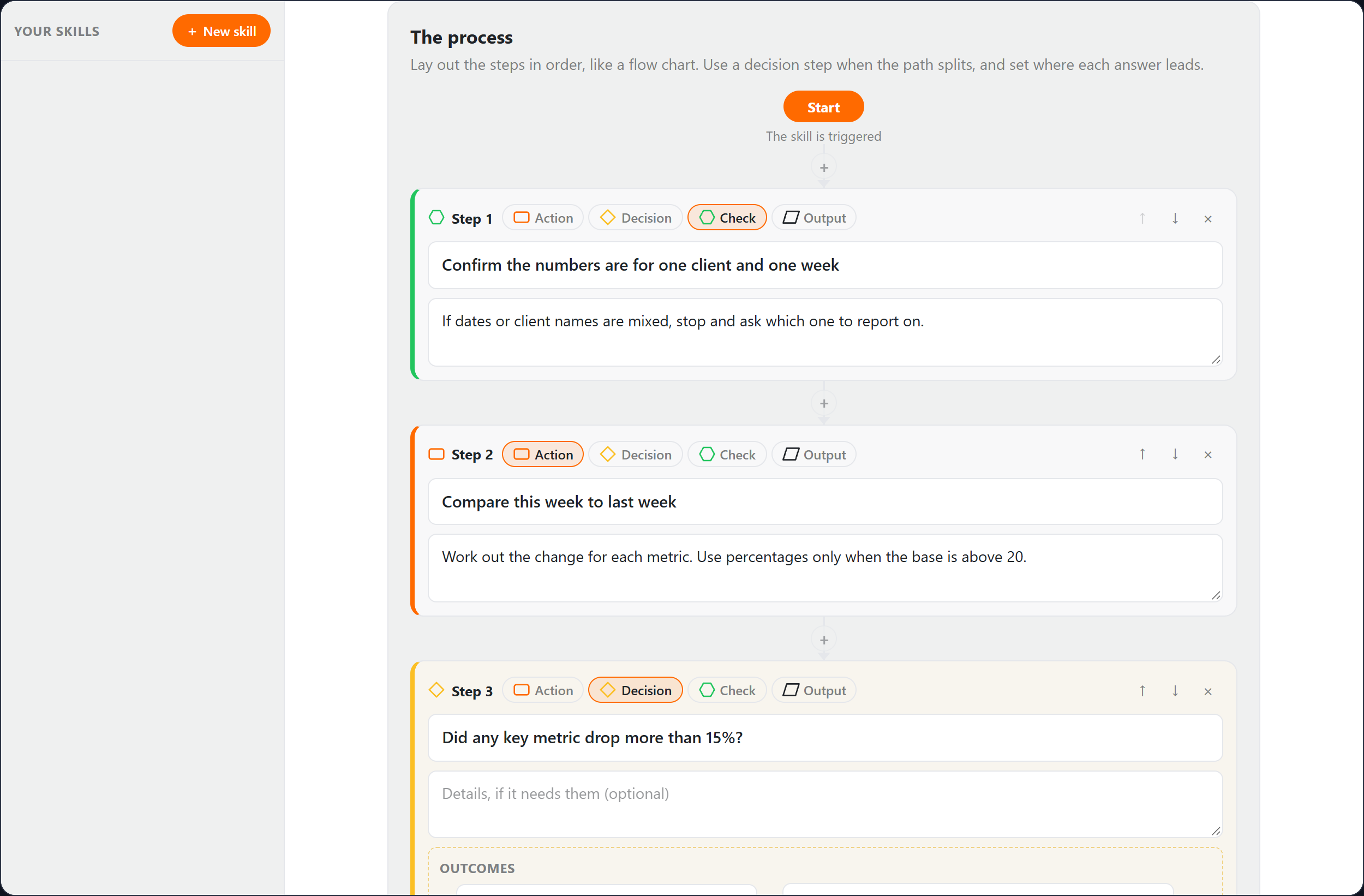
Lay it out like a flow chart
Add the steps in order as actions, decisions, checks and outputs, with a branch for each answer to a decision, so the file captures the job as you actually do it rather than a paragraph about it.
Your rules, stated once
List what the AI must always do and must never do, and add an example of a good result, which is the single thing that makes a skill most reliable.
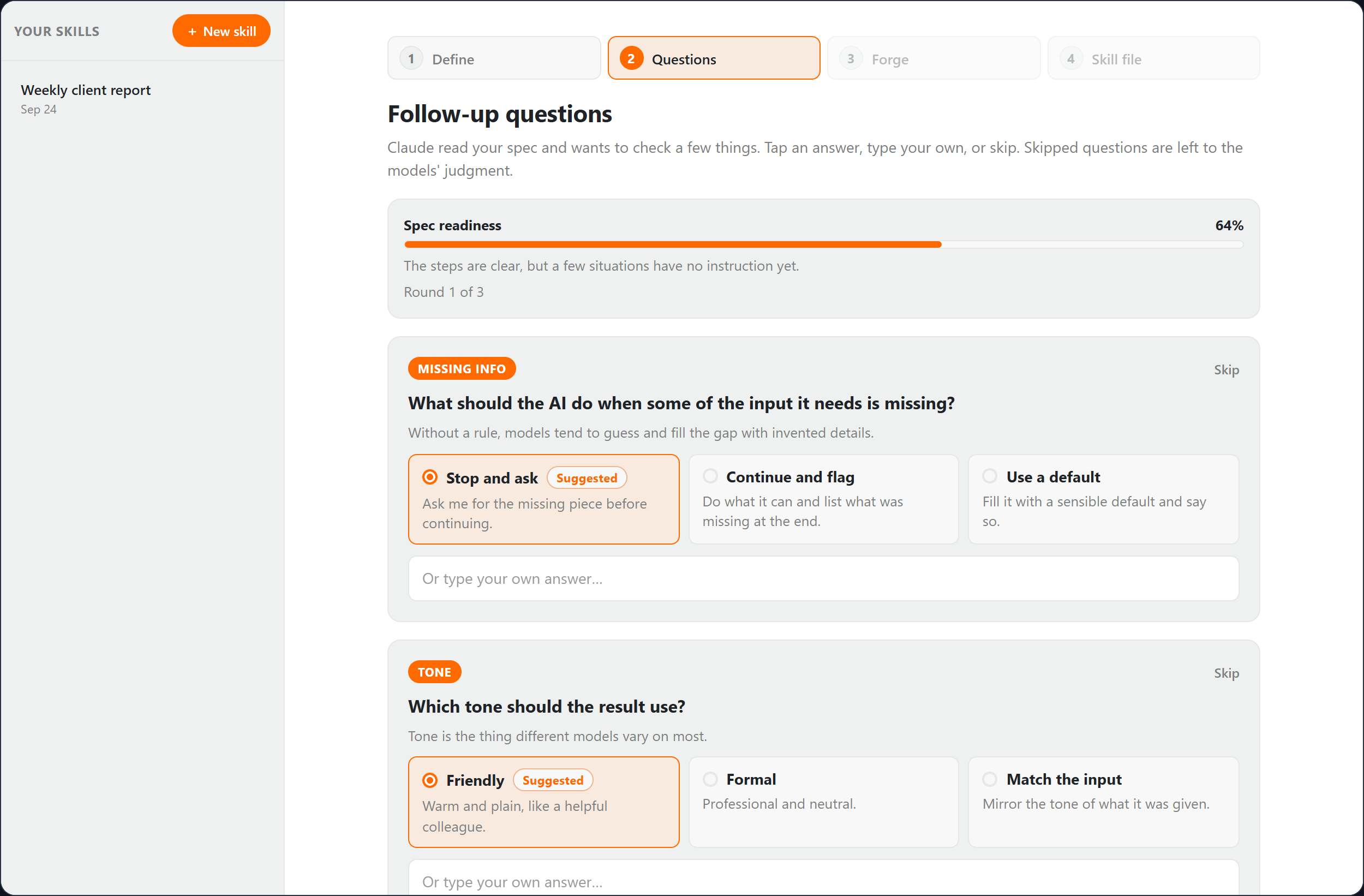
Questions before it writes
Claude reads your spec and asks about the gaps, like what to do when an input is missing, with answers you can tap. A readiness score shows how complete the spec is.
Five models, one file
ChatGPT drafts it, Grok stress-tests it, Claude tightens the instructions, Perplexity checks facts against the web and Gemini merges it into one clean file. The middle three can be switched off, and a failed stage never loses the draft.
A file that travels
You get a SKILL.md with proper frontmatter and a flow diagram, ready to upload to Claude as a skill or to paste into ChatGPT or Gemini. Revise it with a note and the line runs again.
How a session goes
- 1
Name the skill and say when an AI should use it.
- 2
Lay out the steps, then add the dos and don'ts and an example.
- 3
Answer Claude's follow-up questions, or skip them.
- 4
Forge it, and watch each model's changes come in.
- 5
Download SKILL.md, or the zip Claude takes as a skill upload.
What people use it for
- The agency owner who explains the weekly client report to an AI every Monday and gets a different format every time
- The operations lead who wants new hires' AI tools to follow the same onboarding checklist the team does
- The consultant turning a method they teach into something a client's assistant can run
- The founder writing down how a job is done before handing it to someone else
Which key it uses
SkillScribe calls OpenAI, xAI, Anthropic, Perplexity or Google Gemini. On a paid plan, add a key for any of them under Account → API keys and that provider bills you directly — no credits spent. Without a key, runs spend from your included plan credits instead, and you are told when that happens.
Questions
- What is a skill file?
- A set of instructions an AI assistant loads when a job comes up, so it does that job the same way every time. SkillScribe writes it in the open SKILL.md format, which Claude takes directly as a skill and which ChatGPT and Gemini can follow as instructions.
- Why five models?
- Each catches different problems. One drafts, one tries to break it, one tightens the wording, one checks facts on the web, and one merges it all. You can switch the middle three off for a quicker, cheaper file.
- Does this use my API keys or my credits?
- Each follow-up round is one run on Anthropic's Claude, and forging is one run per stage, up to five across OpenAI, xAI, Anthropic, Perplexity and Google. They use your own keys where you have added them, otherwise credits. A revision runs the line again.
- Where does my work go?
- Everything you make is saved to your Library automatically, so it survives closing the tab. You choose what, if anything, to share to Creations.